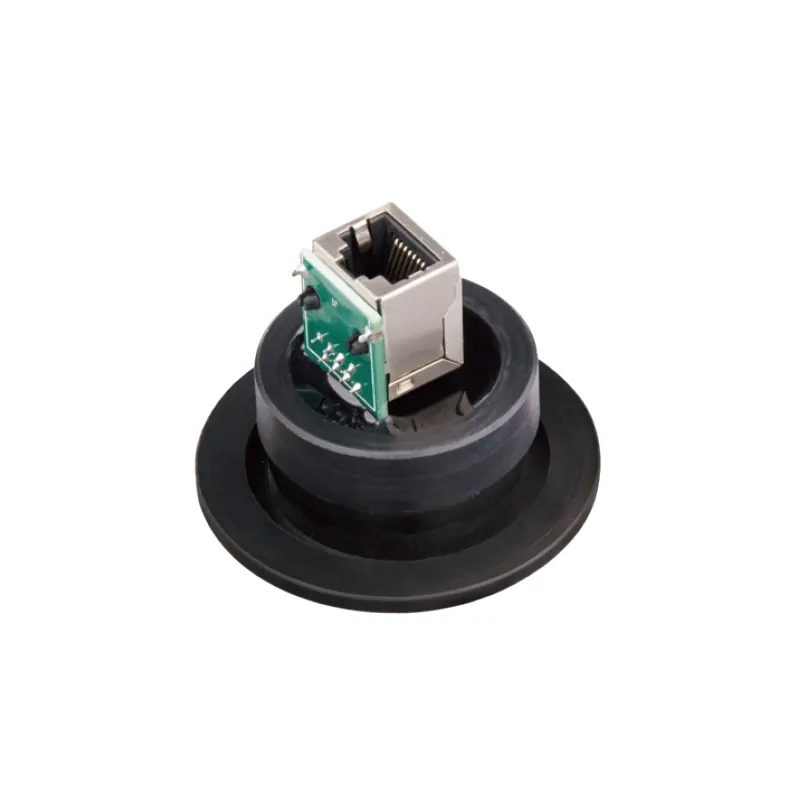
A KF40 Ethernet Feedthrough is a sealed data interface that lets an Ethernet connection pass through a glove box wall or dedicated port. It sits at the enclosure boundary: outside, it connects to a network switch, PC, or controller; inside, it serves an instrument, sensor, camera, or small computer in the controlled atmosphere. Its purpose is practical—to provide a fixed data path without routing a cable through a door, glove port, or temporary opening.
What Does a KF40 Ethernet Feedthrough Do?
It combines two functions that are often discussed separately: a mechanical flange connection and an electrical data path. KF40 identifies the flange interface. Ethernet identifies the signal type. The feedthrough body bridges the enclosure wall, and its connector arrangement provides a place to attach an internal cable and an external cable. The flange holds the body in the wall or port; the electrical construction carries the signal.
This is not a gas-handling component. It does not circulate working gas, remove oxygen or water, or regenerate purification material. Those tasks belong to a gas purification system, vacuum pump, or gas replacement procedure, depending on the box design. The feedthrough only passes data—and, only if explicitly specified, may support Power over Ethernet. It should be selected as part of the enclosure boundary, not as an atmosphere-control device.
Sealing and Signal Integrity Are Separate Jobs
The mechanical seal keeps the controlled atmosphere on one side and ambient air on the other. Many KF flange connections use a clamp, centering ring, and elastomer O-ring to compress a seal against mating surfaces; installation quality matters as much as the part itself. The wrong O-ring material, a damaged sealing face, or an incomplete clamp can create a leak path even when the feedthrough is new.
Signal integrity is a different question. Ethernet is a low-voltage data signal, but it still depends on conductor continuity, twisted-pair geometry, shielding, and grounding. A feedthrough that seals well but introduces excessive impedance mismatch or poor shield continuity may cause intermittent network errors. The product name alone does not define data rate, connector type, or shielding method, so those details must be confirmed against the actual product information.
Where Does It Fit in a Glove Box System?
The feedthrough is installed at the enclosure boundary—typically on a wall port designed for a KF flange, or on another interface confirmed by the glove box manufacturer. It should not be treated as a universal adapter for any opening. A KF40 port has a specific flange size, seal arrangement, and clearance envelope. The box may also have internal shelves, glove ports, or purification components that limit access to the fitting.
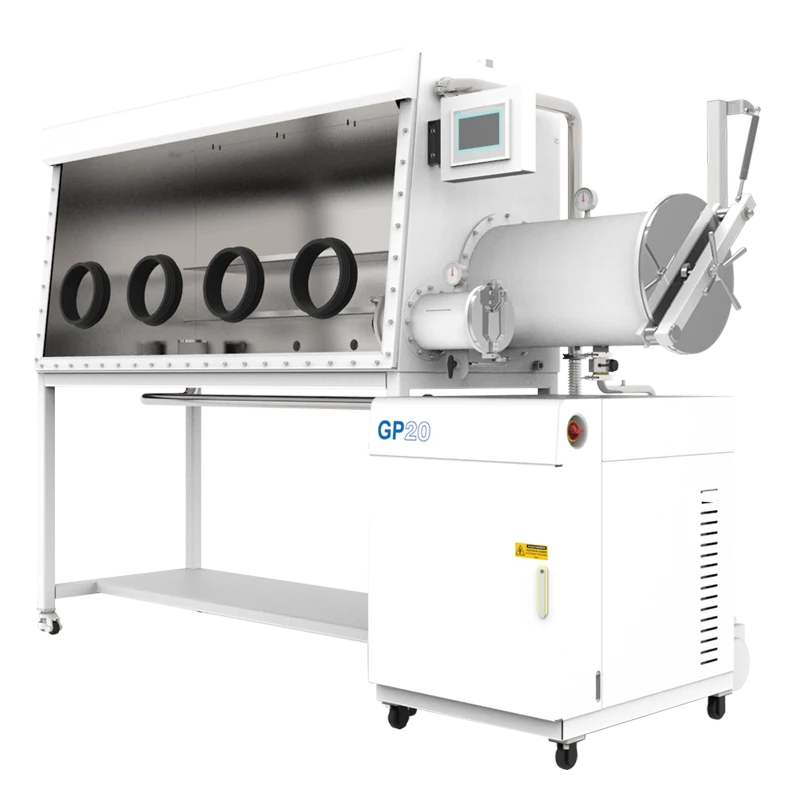
In a complete system, atmosphere management and data access are parallel functions. A two-station single-sided glove box with a gas purification system uses circulation and purification hardware to manage the internal atmosphere. An Ethernet feedthrough can support a networked instrument inside that enclosure only if the enclosure has a suitable port and the installation is compatible with its pressure regime. The listing for that glove box does not confirm a KF40 port, so the pairing must be checked rather than assumed.
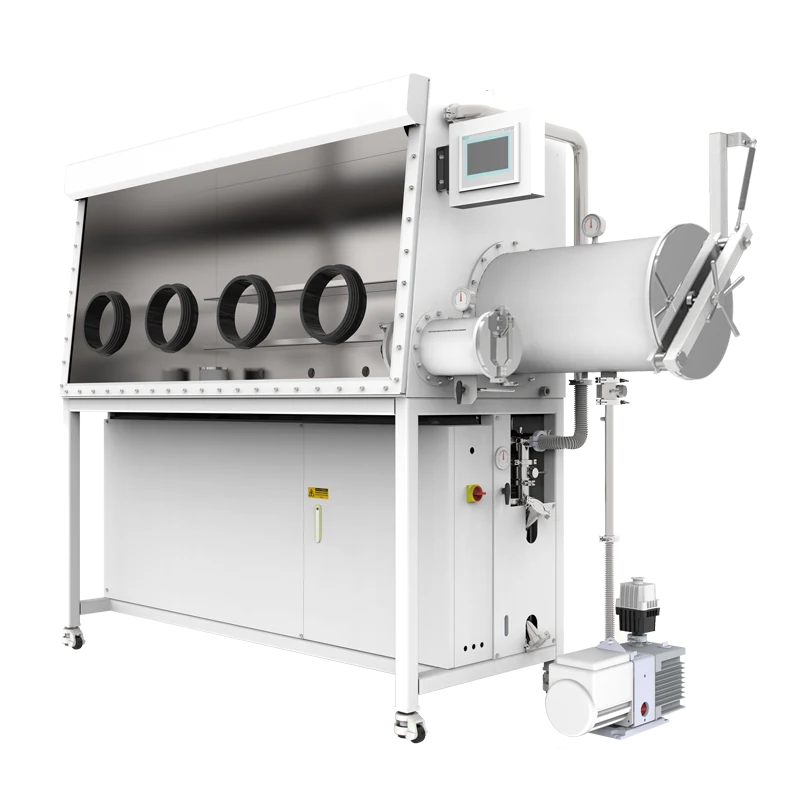
This distinction matters during procurement. Buying a feedthrough and buying a purifying glove box are separate decisions that meet at the enclosure interface. The glove box defines the available port, working pressure, seal materials, and internal clearances. The feedthrough defines the electrical connector, data path, and its own sealing method. Neither item automatically confirms the other.
Which Configurations and Compatibility Factors Matter?
The current TENCAN accessory offering includes a KF40 Ethernet feedthrough. With one accessory type identified in the available information, the useful approach is not to invent a range of variants but to examine the elements that determine whether the part can serve a particular enclosure.
Flange and Port Compatibility
Confirm that the enclosure port is KF40 and that the mating surfaces, clamp, centering ring, and O-ring are correct. Check the available insertion depth and clearance on both sides. A flange can appear to fit while leaving insufficient room for a connector, cable bend, or strain relief. The O-ring material must also suit the gas atmosphere, cleaning agents, and any solvent exposure in the working area.
Ethernet Connector and Cable
The connector format, termination style, wiring, and supported Ethernet category must be confirmed. If the internal instrument uses a standard RJ45 connection, verify whether the feedthrough presents a matching jack, a cable tail, or another interface. Also check whether the shield is carried through the body and how the shield is bonded to the enclosure. If PoE is required, confirm that the feedthrough is rated for it; do not assume that an Ethernet data path also carries power.
Materials, Pressure, and Environment
A glove box may operate near ambient pressure, under slight positive pressure, or under vacuum, depending on its design and procedure. The feedthrough must be suitable for the actual pressure condition, not merely described as a vacuum fitting. Cable jackets, connector plastics, potting materials, and O-rings can be affected by solvents, heat, oxygen, or repeated cleaning. Components exposed inside the box should also be considered for outgassing and particle shedding.
Grounding, Shielding, and Strain Relief
Ethernet shielding should not become an accidental current path or a source of electrical noise. Plan the ground connection according to the enclosure and network design. Provide strain relief so that cable weight or movement does not load the feedthrough or sealing interface. Keep cable bends within the connector manufacturer's recommendations and leave enough service loop for instrument movement without pulling on the fitting.
Which Specifications Should You Check?
- Flange interface: KF40 compatibility, clamp type, centering ring, O-ring material, sealing-face condition, and available port depth.
- Electrical interface: connector format on both sides, Ethernet category or supported data rate, wiring, shield continuity, and grounding arrangement.
- Power handling: whether the part is data-only or explicitly rated for PoE; separate power needs require a suitable power feedthrough.
- Pressure and leakage: the intended pressure or vacuum condition, the feedthrough's stated rating, and the leak-verification method for the installed assembly.
- Materials: body, insulator, seal, and cable-jacket compatibility with the working gas, solvents, temperature, and cleaning routine.
- Mechanical fit: external and internal clearance, cable bend radius, mounting orientation, and strain relief.
- Documentation: connector pinout, installation instructions, and any limits on mating cables or operating environment.
These checks are not interchangeable. A KF40 flange does not establish Ethernet performance. A good network link does not prove a leak-tight seal. A vacuum rating does not automatically cover positive-pressure operation or solvent exposure. Each condition needs its own confirmation.
Where Is It Suitable, and What Are Its Limits?
A KF40 Ethernet feedthrough is most useful when a networked device must remain inside a sealed glove box while data goes to a PC, logger, or control system outside. Examples include network-enabled analytical instruments, cameras, environmental monitors, small embedded controllers, and test fixtures used in air-sensitive materials research. It can also support data collection from automated experiments where repeated cable access through a door would disturb the atmosphere or interrupt work.
Its limits follow from what it is. It does not create an inert atmosphere, remove oxygen or moisture, or replace a gas purifier. It does not make an ordinary instrument suitable for vacuum, solvent exposure, or inert-gas operation. It does not provide a sterile, cleanroom-classified, or hazardous-area enclosure. If the internal device needs USB, HDMI, fiber, high-voltage power, or a specialized sensor connection, a different feedthrough may be required. And if the glove box has no compatible KF40 port, the accessory should not be forced onto an unrelated opening.
Instrument compatibility deserves separate attention. A device placed inside a glove box may release solvents, generate heat, or require a specific gas composition. The feedthrough cannot correct those conditions. It only provides a sealed route for the data cable that serves the device.
How Should You Select and Integrate It?
Start with the instrument, not the flange. Identify its network interface, cable type, data rate, power requirement, and physical size. Then inspect the glove box port and confirm KF40 compatibility, seal materials, pressure condition, and clearance. Compare those facts with the feedthrough's published information. If any item is unclear—connector type, shield bonding, pressure rating, or material compatibility—ask for confirmation before installation.
During integration, keep the sealing surfaces clean and use the specified O-ring and clamp. Route cables so that they do not pull on the connector or block glove ports. Bond the shield according to the electrical plan, then verify the network link and the enclosure seal separately. A successful data test says nothing about leak integrity; a leak check says nothing about signal quality. Both checks belong in the commissioning record.
For a complete system, review the enclosure and the accessory together. The KF40 Ethernet Feedthrough is the data-interface component, while the two-station single-sided glove box with gas purification system is a separate enclosure product with its own atmosphere-control function. The available information does not establish that those two specific products are configured together, so port type, pressure condition, seal compatibility, and internal clearance should be confirmed with TENCAN before ordering.
Frequently Asked Questions
Does a KF40 Ethernet feedthrough purify the glove box atmosphere?
No. It is a data interface, not a purifier. Oxygen and moisture control depend on the glove box's gas purification system, seals, gas supply, and operating procedure.
Can it reduce oxygen or moisture by itself?
No. The feedthrough does not circulate gas or absorb contaminants. It only provides a sealed path for an Ethernet connection. Atmosphere measurements must come from suitable analyzers, not from the feedthrough.
How can I check whether it fits my enclosure?
Confirm the KF40 flange, mating seal, port depth, pressure condition, and clearance. Also confirm the Ethernet connector and cable requirements. Do not rely on appearance alone; check the enclosure documentation or ask the manufacturer.
Can it carry power as well as data?
Only if the specific feedthrough is rated for Power over Ethernet or additional conductors. A data-only Ethernet feedthrough should not be used to supply power. Verify the rating before connecting any powered device.
Is installation alone enough to ensure a leak-tight boundary?
No. The correct flange, clean sealing surfaces, suitable O-ring, proper clamp, and leak verification all contribute. Installation must follow the enclosure and feedthrough instructions.