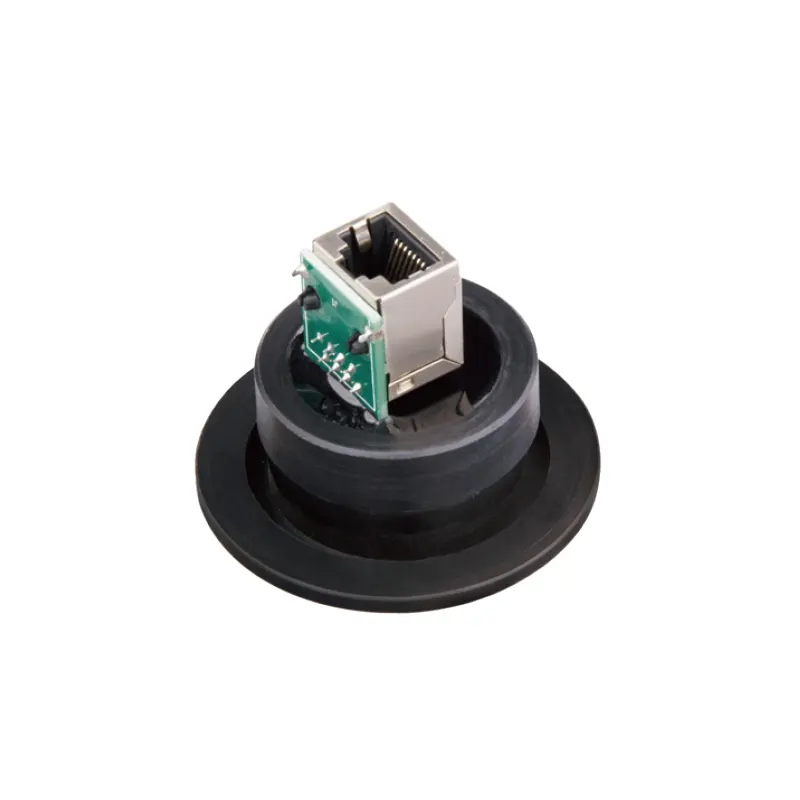
A KF40 Ethernet feedthrough is a sealed bulkhead adapter that carries a network connection through the wall of a glove box. It mounts on a KF40 flange port, seals with an O-ring and clamp, and presents a data connector on each side of the wall: one facing the controlled interior, one facing the laboratory. Its job is narrow but essential. Instruments inside an inert-atmosphere or vacuum enclosure need to send data out and receive commands in, and threading an ordinary patch cable through the door, the antechamber, or a glove port would defeat the atmosphere the enclosure exists to maintain.
What Does a KF40 Ethernet Feedthrough Do?
A feedthrough has to succeed at two jobs at once. Mechanically, it is part of the containment boundary: the flange joint holds the enclosure atmosphere in and the surrounding air out, and it has to tolerate the pressure difference, the temperature, and whatever process vapor the interior contains. Electrically, it must let a high-speed digital signal cross that boundary with enough integrity that the link stays up and the data arrives intact. A part that seals perfectly but distorts the signal is as useless as one that passes data beautifully and leaks.
Nothing about the device is active. It does not pump, purge, monitor, or regulate. It is a passive wall penetration, and whatever it contributes to atmosphere quality is indirect: by making it easy to keep an instrument connected, it reduces the number of times the box has to be opened.
Where the feedthrough sits in the system
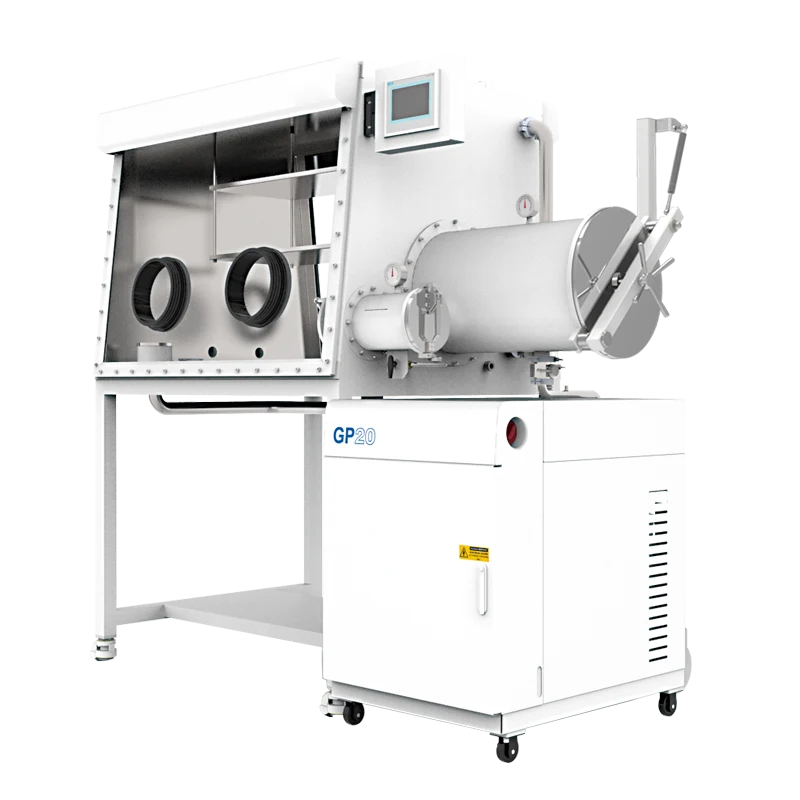
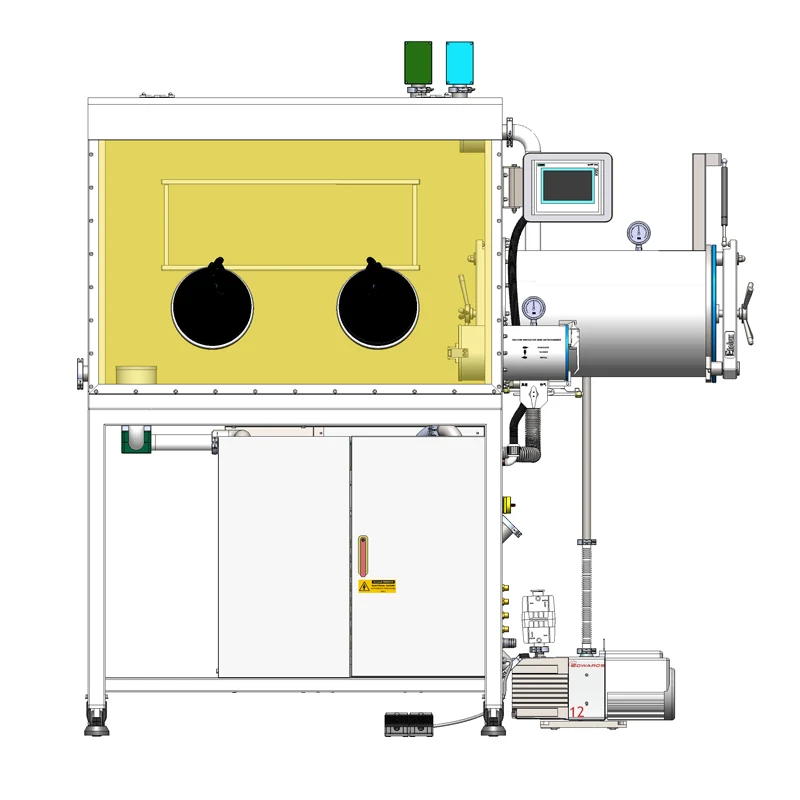
Think of a glove box as three layers. The first is the enclosure itself: shell, window, gloves, antechamber, and the ports on its walls. The second is atmosphere management. On a purification glove box, that means the closed circulation loop through the purification columns, with its blower and its water and oxygen sensors. On a vacuum glove box, it means evacuation and inert gas replacement rather than a continuous purification loop. The third layer is the interface between inside and outside: everything that crosses the wall, including gloves, antechambers, valves, gas lines, and electrical and signal feedthroughs.
A KF40 Ethernet feedthrough belongs to the third layer. It is not part of the gas circuit, not part of regeneration, and not a measurement device. It changes nothing about how the box regulates its atmosphere; it changes only what you can connect.
Why data needs a path of its own
Many glove boxes already carry electrical feedthroughs for power and simple signals, and those parts are not interchangeable with a network feedthrough. Power feedthroughs are judged on current capacity, conductor size, and insulation. A network feedthrough is judged on impedance, shielding continuity, and crosstalk. Running Ethernet through a pair of loose wires may work at low speed and then fail intermittently as cable length, temperature, or the number of connected devices changes. Intermittent network faults inside a sealed enclosure are costly to diagnose, because every check requires either a planned entry or a temporary break in the atmosphere.
How a KF40 Ethernet Feedthrough Works
The flange joint
KF40 refers to the nominal 40 mm size in the ISO-KF quick-clamp flange family, a standard vacuum connection used throughout laboratory equipment. Two mating flanges are pulled together by a clamp that compresses a centering ring holding an elastomer O-ring. The design assembles quickly and breaks easily for maintenance, which is why it appears so often on glove box walls, antechambers, and pump lines.
Because the seal is elastomeric, its quality depends on more than nominal size. O-ring material, hardness, age, surface finish, temperature, and clamp torque all matter, as does the cleanliness of the mating faces. A KF40 feedthrough seats only on a KF40 port. A port in a different flange standard, or a metal-sealed CF port of similar diameter, will not seal with the same ring and clamp even when the sizes look close. Confirm the standard before ordering, not after.
The signal path
Inside the sealed body the connection is short. Most Ethernet feedthroughs are built as a bulkhead coupler: an RJ45 jack on the interior face, an RJ45 jack on the exterior face, and a small amount of controlled wiring between them, with the cable shield bonded to the metal body. The body is normally metal so that the shield has somewhere to terminate and the assembly behaves predictably under vacuum.
That shield termination is the detail most often overlooked. Ethernet uses differential signaling: the two conductors of a pair carry opposite voltages, and the receiver reads the difference, which rejects much of the common-mode noise the cable picks up. If the shield floats, the cable behaves like an antenna and noise couples into the pair. Bonding the shield to the flange and to the enclosure ground gives that noise a return path.
The feedthrough also adds a small impedance discontinuity to the channel. At 100 Mbps and 1 Gbps, a short, well-shielded bulkhead coupler usually stays within the tolerance of the link, but performance depends on the whole channel: the patch cables on both sides, their category, their length, and the connectors at each end. If link errors appear, the feedthrough is one candidate cause among several, not the automatic explanation.
Which Configurations Matter
A single catalog entry can look like a fixed object, but a part such as the KF40 Ethernet feedthrough is really a small set of choices, and each one decides whether it suits a given installation.
- Flange size and standard. The KF40 designation fixes the port it fits; a box with only KF16 or KF25 ports needs an adapter, and every adapter adds a joint that must be sealed and tested.
- Connector style. A jack on both faces lets you plug standard patch cables on each side. A pigtail version brings out a fixed length of cable instead and changes how the interior is routed.
- Shielding and category. Shielded and unshielded constructions behave differently in an electromagnetically busy laboratory, and category affects how much bandwidth the channel carries over a given distance.
- Sealing material. The O-ring and any internal elastomer must tolerate the solvent vapors, process gases, and cleaning agents used inside the box, within the temperature range of the application.
- Body length and clearance. The body occupies space on both sides of the wall; check what sits behind the port inside the enclosure before committing.
- Channel count. One feedthrough carries one network path. Installations with several instruments may need more than one, planned at the port-layout stage.
Which Specifications Should You Check?
Selection is mostly a matter of matching the part to the enclosure and to the signal rather than choosing the largest number on a datasheet. These are the checks that most often decide whether a feedthrough works in practice.
| Item to verify | Why it matters |
|---|---|
| Flange standard and size | A KF40 part seals only on a matching KF40 port; other standards need different hardware. |
| Available ports and their position | The feedthrough needs a free port on the wall where both sides can be reached for routing and service. |
| Cable category, shielding, and channel length | These determine whether the required link speed holds over the total run, not just across the feedthrough. |
| Sealing material compatibility | Elastomers exposed to solvent vapor or aggressive process gas can swell, harden, or degrade. |
| Pressure and vacuum exposure | The working pressure of the enclosure, any antechamber evacuation, and the rating of the feedthrough are separate values that must be compared deliberately. |
| Leak testing method | After installation the joint should be checked with the procedure the equipment supplier specifies; a visual inspection is not evidence of a seal. |
| Grounding continuity | Shield bonding across the wall affects noise immunity and link stability. |
| Connector count and internal routing | Deciding how many connections are needed before using ports avoids later improvisation. |
A few numbers deserve care. The pressure rating of a feedthrough, the working pressure of a glove box, the vacuum level a pump can reach, and the system leak rate are four different quantities with different meanings and units, and none substitutes for another. A value that describes one model's capability should not be read as a promise across a product family. Where a catalog page leaves a condition unclear, treat it as unconfirmed and ask the supplier instead of assuming a figure.
Where It Is Suitable, and Where It Is Not
The natural applications are those where data has to move continuously between the controlled interior and the outside world: networked instruments logging to a laboratory server, sensors and controllers operated remotely, cameras that observe a process without opening the box, and the ordinary computing hardware that increasingly sits inside inert-atmosphere workstations. On a multi-station enclosure such as the two-station double-sided glove box with gas purification system, where two operators work on opposite sides of a shared atmosphere, port number and location become a layout decision, because one feedthrough on one side may not serve instruments mounted on the other.
The limits are equally clear. A feedthrough does not purify gas, does not remove water or oxygen, does not filter particles, and does not adsorb solvent vapor. It has no effect on what a water and oxygen analyzer reads, beyond helping keep the enclosure closed. It is not a substitute for a purification system, an antechamber, or a vacuum pump, and it cannot give a box a port it does not already have.
There are also cases where it is the wrong part. High-current equipment needs a power feedthrough sized for that load. Low-level analog measurements may call for a signal feedthrough chosen for the measurement rather than for a network standard. Corrosive or high-temperature processes may require different sealing materials or a metal-sealed flange. And no feedthrough makes data secure; if the network inside the box must be isolated from the site network, that is a network design question rather than a hardware one.
How to Select and Integrate It
A short sequence covers most of the risk.
- Define the signal. Confirm the link speed, the number of devices, and whether any part of the run is unusually long or routed near noise sources.
- Survey the enclosure. Count spare ports, note their flange standard and position, and check access on both sides of the wall.
- Match the flange and seal. Confirm that the port and the feedthrough use the same standard and size, and that the sealing material suits the process chemistry.
- Plan the interior route. Decide where the internal cable runs and how it is supported, and keep strain off the connector. Cables lying across a work surface interfere with handling; cables hanging from a port stress the seal over time.
- Install and leak-test. Fit the centering ring and clamp correctly, then check the joint using the manufacturer's procedure before returning the box to service.
- Verify the link. Once the box is closed, confirm the network comes up at the expected speed and stays stable over a realistic working period.
- Record the installation. Flange size, connector type, O-ring material, and the cable route are the details the next person will need. The KF40 Ethernet feedthrough product page is the reference for the part itself; keep it with the installation notes.
Common Questions About KF40 Ethernet Feedthroughs
Does the feedthrough purify the atmosphere?
No. It carries data through the wall. Atmosphere control belongs to the purification system, the gas supply, and the procedures used to transfer material in and out.
Will installing one lower the water and oxygen levels?
Not directly. It reduces the incentive to open the box for data transfer, which helps, but any change in atmosphere readings comes from the enclosure, the purification loop, and operating practice.
How do I know whether it fits my glove box?
Check the flange standard and size of an available port, the clearance around it, and the compatibility of the seal with your process. A KF40 feedthrough matches a KF40 port; a similarly sized port in another standard does not.
Can I install more than one?
Yes, provided suitable ports exist. Each additional penetration adds a joint that must be sealed and tested, so plan the total number of network and power connections at the layout stage rather than one part at a time.
Is it used on vacuum glove boxes as well as purification glove boxes?
The same principle applies to both: the part must seal against the pressure difference the enclosure experiences and be compatible with its atmosphere. The two box types differ in how the atmosphere is maintained, not in the fact that a wall penetration has to hold.
For a component this small, the engineering work is almost entirely in the planning: matching the flange, choosing the seal, routing the cable, and testing the joint rather than assuming it. Done properly, a KF40 Ethernet feedthrough becomes invisible in daily use. The network inside the box simply works, and the atmosphere stays where it belongs.